> For the complete documentation index, see [llms.txt](https://docs.insilicoterminal.com/documentation/llms.txt). Markdown versions of documentation pages are available by appending `.md` to page URLs; this page is available as [Markdown](https://docs.insilicoterminal.com/documentation/cortex/twap-execution.md).
# TWAP Execution
Cortex extends TWAP execution to the server side, removing the 12-hour limit and enabling long-duration execution with per-lot monitoring.
For an overview of how TWAP works (lot splitting, frequency, jitter, irregular lots, price bounds), see the client-side TWAP documentation. All of those options remain available in Cortex TWAPs.
### Server-Side TWAP
Cortex TWAPs execute entirely on the server. There is no upper duration limit, you can run a TWAP spanning minutes, days, weeks, or over a year. The browser does not need to remain open.
### Configuration
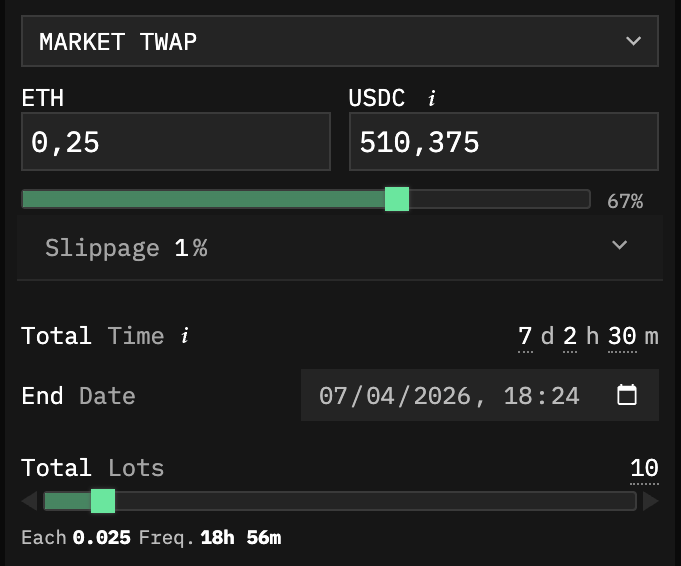
* **Total Size:** the total order size to execute
* **Total Lots:** the number of individual lots to split the order into
* **Total Time / End Date:** the duration or target end date for the TWAP
* **Slippage:** slippage tolerance for each lot execution
All stealth execution options from client-side TWAPs (Frequency Jitter, Irregular Lots, Price bounds) are also supported.
### Per-Lot Execution
Each lot within a Cortex TWAP can be individually monitored. Lots can execute using **Chase** and **Swarm** strategies for more sophisticated fill behavior on each individual lot.
### Monitoring
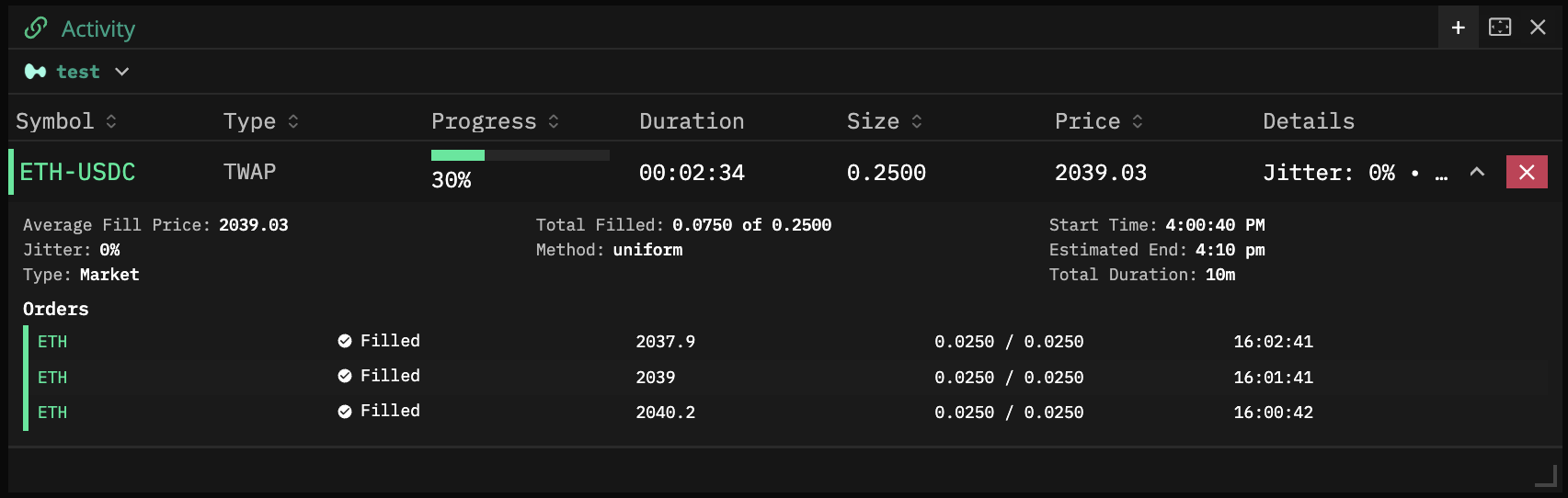
Track TWAP progress in real time from the Activity panel on any device:
* Overall progress percentage and duration
* Average fill price
* Total filled vs. target size
* Start time and estimated end
* Per-lot fill status with individual price, size, and timestamp
TWAP is cancelable at any moment.